Showing posts with label Home Screen/Widget. Show all posts

Saturday, August 4, 2012

Battery Widget? Reborn! Pro v1.0.13/Pro APK DOWNL

Requirements: Android 2.3 and up
Overview: This is is time limited BETA version of Battery Widget? Reborn! application.



Application features

This app provides following functionality:
Battery widget
- circle battery level indicator indicator perfectly fits pure Android design
- resizable on Android 4.x+
- support for both main and external dock battery (Asus Transformer only)

Basic battery info
- Battery Info
- Shortcuts to Power-Summary/Background Sync/Wifi/BT Settings

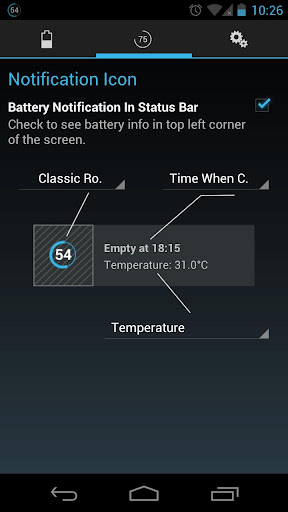
Status bar notification of battery status
- multiple icon styles
- prediction (estimation) how long battery lasts
- customizable texts in notification area (estimated time left, voltage, temperature, battery health)

Power saving functionality
- automatic airplane mode during the night (simple but powerful battery saver functionality)

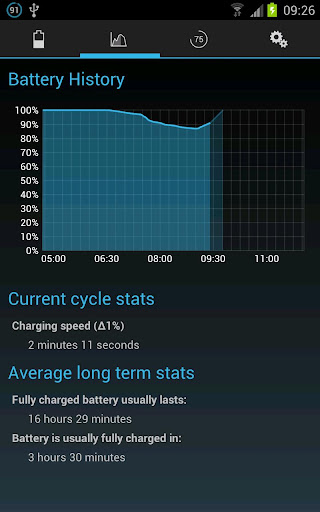
Charging and discharging chart

Extended notifications support for Jelly Bean phones
- optional charging and discharging chart
- power related toggles:
- Wifi
- Bluetooth
- Background Sync
- Airplane mode
- customizable notification priority

Holo themes interface on all phones with Android 2.3+

Specific HW vendor support
- supports Motorola 1% increment
- supports Asus Transformer secondary (dock) battery

Installation and operation notes
=======================
- Task Killer or Task Manager may affect this app. Please don’t use them if app does not work as expected
- App is highly optimized and DOES NOT drain you battery
- Known issues are at http://www.batterywidgetreborn.com/known-bugs.html you can prioritize bug fixes and enhancements there by voting
- Frequently asked questions are at http://www.batterywidgetreborn.com/faq.html, look there before sending support request
- Due to the limitation of the Android platform, homescreen widgets will NOT be available if application is moved to SD card.
- Some devices indicate battery level every 10% due to their kernel design (known ones are: most Motorola devices including Droid and Atrix series, Samsung Moment series). Try to use Motorola 1% hack feature if your phone is among these devices
- In Android 4.0, the system may shrink and dim level indicator icons in status bar.

UI is more or less translated to German, Chinese, Dutch, Polish, English, French, Czech, Spanish, Italian, Portuguese and Russian.

Voluntere for translations at http://translations.hubalek.net/app/bwr

Which version to download?
====================
- All flavors of the app are Ads free.
- Download Battery Widget? Reborn! (BETA) if you want to evaluate whether it fits your needs.
- Download Battery Widget? Reborn! Pro if you want support development.
- Freemium Lite version is coming soon.

What's in this version:
Changes:
- fixed some bugs, see http://www.batterywidgetreborn.com/k...ugs.html#fixed
- now supporting English, Czech, German, Dutch, French, Polish, Italian, Spanish, Portugese and Chinese languages. More languages coming soon.
- a lot of minor bugfixes and some new bugs introduced

More Info:

Download:
APK

Thursday, August 2, 2012

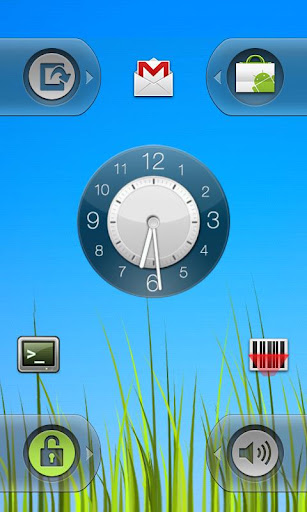
wClock Widget Full v2.0 APK DOWNL

Requirements: Android 2.1 and up
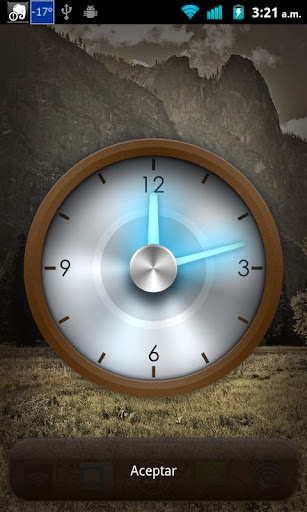
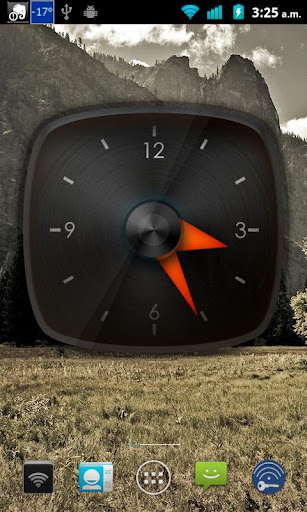
Overview: wClock is the best clock widgets pack for Android. With 15 exclusive HD designs (plus future free updates with new designs).


Sizes included: 4x4, 4x3, 3x3 and 2x2.
And special graphics for screens:

mdpi (htc Hero, Xperia X8, Optimus One,galaxy ace, etc.)
hdpi (galaxy s2, lg optimus black, DROID X, Defy etc.)
xhdpi (galaxy s3, HTC One X, LG Optimus 4X etc.)

What's in this version:
2.0
- add support for external themes (digital clock, battery level, date)
- fixed some bugs

More Info:


Download:
APK

Sunday, July 22, 2012

Holo Launcher Plus v1.1.2 APK DOWNL

Requirements: Android 2.2+
Overview: ICS Launcher for Android 2.2+
Simple, powerful, fast and highly customizable home replacement, based on Android 4.0.4 ICS Launcher.


Not like Apex Launcher or Nova Launcher, Holo Launcher can run on Froyo, Gingerbread, ICS and Jelly Bean.

Basic Features:
- Full ICS Style: ICS Icons, Folders, Outlines, Drawer Tabs, etc.
- Custom Desktop Pages/Grid: Up to 9 desktop pages and 10 x 10 grid.
- Custom Drawer Portrait/landscape Grid
- Scrollable Dock: Up to 7 icons per page and up to 3 pages.
- Infinite Scrolling
- Gestures: Swipe up/down on desktop to launch apps quickly.
- Customizable shortcut/folder icons, support ADW icon pack.
- Desktop Previews: Pinch to access desktop previews.
- Backup and Restore: Backup and restore your settings and shortcuts.
- Other Customization Options: Keep in memory, home key action, hide apps in drawer, hide labels, etc.

Plus Features (Need Holo Launcher Plus):
* Multiple configurable drawer tabs
* Unread count notifications for call, sms and gmail
* More desktop gestures: Pinch in/out, Two Finger Swipe and Double-tap
* Dock icon Swipe up/down gestures
* More transition effects
* Widgets overlapping
* 1x1 widgets in dock
* Other enhancement and customization options.

What's in this version:
v1.1.2
- Now we can apply icon pack
- Add LauncherPro icon pack support
- Add Go Launcher icon pack support(plus)
- Option to change folder preview style
- Option to change folder background
- Updated translations

More Info:

Download:
APK

Saturday, July 14, 2012

NotifierPro Plus v5.5 APK DOWNL

Requirements: Android version 2.1 and higher
Overview: NotifierPro displays your notifications with a modern style. NotifierPro greatly improves the way your phone displays notifications.

 --== SUPPORT ==--

For more information and a detailled FAQ, go to http://www.productigeeky.com

If you have any question or suggestion, please contact us.


--== TO ACTIVATE THE SERVICE ==--

To work properly, NotifierPro requires that you activate the accessibility service « NotifierPro Service » (accessibility services are currently the only way to process notifications on Android systems)
- After installing, click « Open »
- Click « Activate service »
- If it’s not checked, check « Accessibility »
- Check « NotifierPro Service »
- Confirm

Your notifications will now be displayed.


--== HOW TO USE IT ==--

Once you have activated the service and configured the app, your notifications will show up on your screen :
- Click the notification to launch it
- Swipe to the right to dismiss it
- Swipe to the left to clear all upcoming notifications

Note that dismissing the notification won’t remove it from the status bar (Android system doesn’t allow to manually remove notifications from the status bar)

If you use a custom lockscreen app such as <b>MagicLocker</b> or <b>WidgetLocker</b>, the notifications will show <b>above your lockscreen</b>.


--== LITE VS PRO ==--

With the full version of NotifierPro :
- You can <b>choose the position of the notification</b>
- You can <b>choose the duration of the notification</b>, and make it <b>permanent</b>
- You can choose to <b>animate the notifications</b>
- You have access to <b>6 exclusives themes</b>


--== CONFIGURATION ==--

To receive notifications from an app, check it in the « Monitoring » section of the preferences.

Here are some examples of apps to check :
- Missed calls : Will show « Missed call from [caller] »
- Messaging apps (GO SMS, Handsent SMS, Trillian, Facebook Chat, Google Talk, …) : Will show a toast with the ID of the sender and the content of the message
- Facebook
- Twitter
- GMail
- K-9 Mail : Will show the ID of the sender and the subject of the mail
- Status bar : Will show toasts such as « USB connected », « Battery low » or « Battery fully charged »
- Market : Will show toasts such as « New updates available » or « Download finished »
- Calendar
- Dropbox
- Email

Apps used on the screenshots :
- LauncherPro
- MagicLocker with Typophone theme

What's in this version:
5.5 :
- You can now choose the notification ringtone for each app !
- Bug fixes
- Improved UI
- You can now set reminders for each app
- You can now display the time of the notification
- You can now disable notifications during a call
- New screen off only mode : Displays banners only when the screen is locked
- You can now set the banner alpha
- Numerous bug fixes
- Numerous new exciting features, check it out !

More Info:


Download:
APK

Monday, July 2, 2012

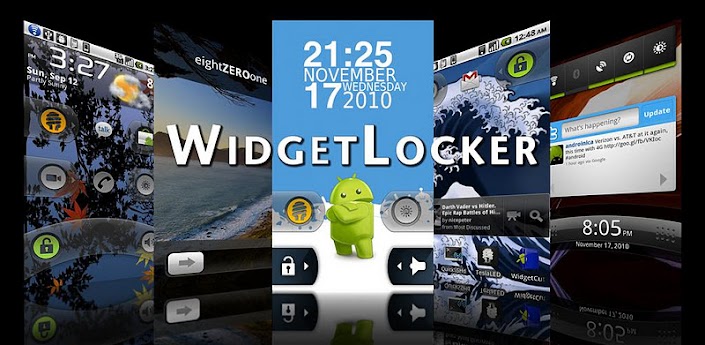
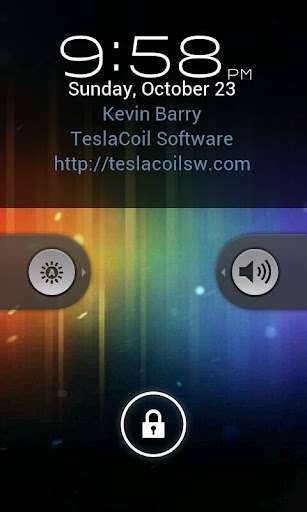
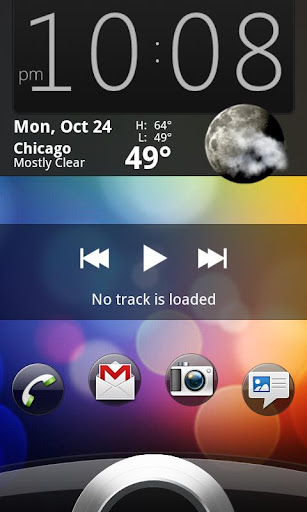
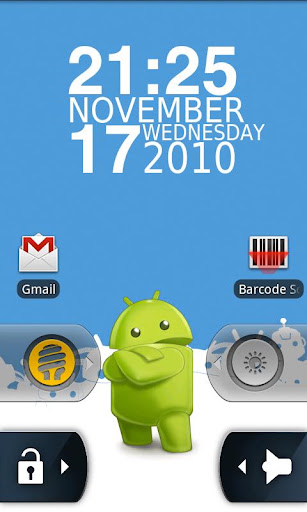
WidgetLocker Lockscreen v2.2.7 APK DOWNL


WidgetLocker is a lock screen replacement that puts you in control of the look, feel and layout of your lock screen.

* Drag and Drop placement of Sliders, Android Widgets and App Shortcuts
* Sliders look selectable from built-in styles (Ice Cream Sandwich, Gingerbread, Sense and Sense 3, Motorola, iPhone, and Rotary) or from user-themes.
* Slider Actions can be customized, for example Slide-to-launch-Camera or Slide-to-call-your-Girlfriend.
* Resizable widgets and custom grid size
* Notification badges on apps/sliders via ADWNotifier
* Customize which widgets/buttons are allowed or blocked at the lock screen

What's in this version: (Updated : May 21, 2012)

* 2.2.6 & 2.2.7 Fixes FCs

Required Android O/S : 2.1+

More Info

Download:

Sunday, July 1, 2012

Recast Weather and Widgets v1.0.1 APK DOWNL

Requirements: Android 2.2+
Overview: Recast is the best way to customize weather and widgets on your Android device.


On phone, tablet or Google TV, Recast is the best way to customize weather, widgets and control your Android device.
Easily change and personalize nearly everything: colors, icons, fonts, layouts, sizes and more!
Uses modern Ice Cream Sandwich Holo interface look, no matter what Android OS you have and works on nearly every Android device!
The online catalog makes it easy and fast to get new widgets, colors, styles and more.
Add as many locations as you want and customize each one for C/F, metric/imperial, 12/24 hour, naming and more.

Offers the most popular widget sizes: 1x1, 1x4, 2x2, 3x2, 4x1, 4x2, 5x1, 5x2 and full screen portrait and landscape views.

Very resource friendly and doesn't use your network or battery while your screen is off.
GPS and automatic weather updates can be disabled for full manual control.

Recast is weather and widgets done your way.
For questions, suggestions or help visit us at http://recast.phase2i.com/

- Supports Android OS 2.2 Froyo, 2.3 Gingerbread and 3.x Honeycomb, 4.0 Ice Cream Sandwich and 4.1 Jelly Bean
- One app works on virtually all phones, notes, media players, tablets and Google TVs
- Attractive and clean widgets with clocks, dates, weather, battery, toggles and more
- Change nearly everything: backgrounds, colors, icons, fonts, layouts, toggles, time formats, temperature units, speed units and more
- Add, re-arrange and remove as many locations as you want for weather with easy, auto-completing name entry
- Auto-location uses GPS, WiFi and cellular radio to update your weather as you move
- Choose the best option from our weather providers: Google Weather or World Weather Online
- Resize widgets to nearly any size on Android 3.x and 4.x devices
- Includes sunrise and sunset times for most locations
- Auto-refresh weather when your phone screen unlocks, on a set schedule or on-demand
- Tap on any date to reach your built-in calendar app
- Tap on any time to reach your built-in alarm clock app
- Works both as a widget and app with full screen weather displays
- Preview and change any widget or view instantly

What's in this version:
Changed hardware requirements for Google TV.

Provided by: -Market Militia-

More Info:


Download:
DirectMirror

StatusBar+ - Custom Status Bar vPetunia APK DOWNL

Requirements: Android 2.1 and up
Overview: A custom status bar that goes where you go, done WP7 style!


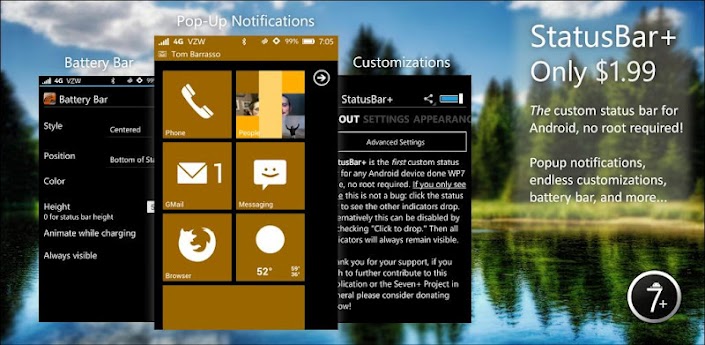
StatusBar+ is the FIRST custom status/ notification bar for Android, no root or custom ROM required!

It works in any orientation and appears consistently for ANY and ALL applications. In full screen applications it automatically hides and in some applications like ZPlayer it becomes transparent for seamless integration.

In order for StatusBar+ to handle third-party notifications it MUST be enabled in System Settings > Accessibility and NOT in the app itself1

StatusBar+ is more than just a custom status bar. It comes bundled with its own MIUI-style battery bar, the ability to change any and all indicators to any color your heart desires, features for users with AMOLED screens to avoid pixel burn-in, popup notifications, and much more.

What are people saying?

"Best app for Froyo!! Works perfect on moto defy am so so so happy I no longer have grey bar. And all notifications still Work. Wifi and signal icons are active. Very stable. Unlike super status bar. Worth every cent." - NiC

"Beautiful! Felt I had to update my review to reflect the fact that I have experienced none of the instability... Rock solid." - Skinny

"Good stuff Nice app, nice dev." - Zik

Currently supported system indicators include Signal strength (GSM, EVDO, and CDMA. 4G HSPA+, WiMax, and LTE experimental), Data network type (ie. EDGE, 3G, 4G, etc.), WiFi signal strength & WiFi Access Point, Bluetooth, Language, GPS, Battery percentage & icon, Time (automatic 24-hour detection based on the system preference), and more coming soon.

Need help understanding the icons? http://www.microsoft.com/windowsphon...hone-mean.aspx

MIUI Users:

StatusBar+ CANNOT support "Tap to drop," on your ROM, so please disable it. There is nothing that can be done about this, sorry.

Notice:

StatusBar+ is not your "normal" application, and in an attempt to support over 1,300 devices you may find bugs! While this application has been tested rather extensively on a number of devices (rooted and not), there is no guarantee that it will work perfectly on your device. If you run into any issues please send send us an email (tbarrasso@sevenplusandroid.org) stating your device's make/ model, firmware, ROM (if applicable), and a description of the issue. We CANNOT respond to comments on Google Play.

Custom lock screens:

WidgetLocker, WP7Lock, MagicLocker, and Ripple Lock are among the many supported custom lock screens. If you wish to have another lock screen added please let us know and we will get in touch with the developers, but we make no guarantee.

Performance:

StatusBar+ is the best custom status bar, battery bar, and popup notification app because by combing all of these features into one app battery drain along with CPU & memory usage is reduced.

Signal Strength:

Signal strength calculation may not work properly on your device. The Samsung Galaxy S II line and Sony Ericsson Arc running Gingerbread 2.3.X, for example, have a documented issue (see http://code.google.com/p/android/issues/detail?id=16862). If you run into problems with signal strength please try our other application, Signal Strength Detector (see http://market.android.com/details?id...signaldetector), available for free on the Android Market and submit your results. This will help us further improve calculation.

Icon by Chaitanya Bangera, feature graphic by Graham Macphee.

What's in this version:
Thank you for supporting StatusBar+!
Fixed overlapping WiFi & Ringer indicators on HDPI devices.
Added Force 10% increment option for battery indicators (in MIUI Battery Bar Settings).
Added & implemented an FAQ (instead of tutorial).
More bug & crash fixes!

More Info:


Download:
DirectMirror

Saturday, June 30, 2012

Launcher 7 - Donate v1.1.13.2 APK DOWNL

Requirements: Android 2.1+
Overview: A Window(s) Phone 7 style launcher for Android.

[break]

Unlike other current WP7 launchers (Window(s) Phone Android, Metro UI), this one allows you to properly modify your start screen. Just long press on a tile and drag tile where you want!

Features:
- 1x1, 2x1 and 1x2 tiles with configurable colors
- Widgets in a tile! (provided that widget fits)
- Almost real like tile animation
- Almost real like tile re-arrange mode
- Almost real like status bar
- Animated contacts tile (supports G+ synced contacts)
- Pinnable contact-tile which animates like the real phone
- Folder tiles
- Webpage tiles
- Filterable application list
- Stock wp7-like colors and color selection

FAQ:
- Initial setup may be broken depending on your phone manufacturer, you probably need to replace the tiles
- To add new application to main screen, long press on an application in application drawer and select "pin to home screen"
- Filtered apps can be restored from the launcher settings fitered apps page
- Tiles can be made transparent by adjusting the alpha value from the horizontal bar on the color selector
- All bitmaps must fit inside 48 megabyte heap (high-end phones, lower-end phones even less than that), so don't try to use too many 25 megabyte bitmaps on your tiles or you will see FC.
- Gmail tile will not work anymore, use Mail tile instead
- By default WP7 statusbar shows icons only if you touch it. You can adjust the functionality from statusbar options
- "Smaller tiles" will make 1x1 tile to 172x172 pixels in HDPI resolution. I managed to measure the tiles wrong when I started developing L7 and tiles have been too big ever since.
-172x172 tiles seem to be faster too, so I suggest you to try them!

TODO-list:
- folder of contacts tile
- revamp the application icon addition (allow text color selection etc)
- App integration (Twitter, Facebook etc.)
- two-sided tiles
- cropping tool to make custom bitmap selection easier

What's in this version:
- separate widget screen added, L7 settings -> widget view access lets you define how to get to the screen
- mail tile has new "cube" option
- some tweaks for ICS added

Provided by: -Market Militia-

More Info:

Download:
Related Posts Plugin for WordPress, Blogger...
Loading